I was just semi-complaining that I was still looking for a decent way to backup my +6k posts without having to use paid services or even just wordpress (which has an import from tumblr tool that asks for permission to access your blog and also make posts), when I decided to actually put some effort into my google search.
Results were positive: I have successfully backed up my blog*
*By which I mean: everything that I have ever posted. Not included: drafts, queue, likes, followers, following, comments, notes, chat.
I followed this method (word by word), and now have a 450 MB folder on my computer with the name of my blog on it containing:
1. Folder “Archive” (contains .html files listed by month) 2. Folder “Media” (contains gifs and images, mine has +1k files in it; might contain also audios but I have no way of confirming that because I’ve never reblogged an audio post from this blog) 3. Folder “Posts” (contains single .html files, each one a post; I have +4k files in it) 4. Folder “Theme” (contains only my avatar, but it might be a matter of if you have personalized themes or not) 5. .html file “Index” (by opening it it will give you the archive of your blog organized by month; clicking on a month will open up the archive for that month, and you’ll be able to read all the posts for that month as if you were on your blog**, except sans your theme graphic, with each page containing 50 posts)
**I can see gifs, links, embedded videos, tags, number of notes (but I can’t open up the notes, clearly), text is also correctly formatted.
So yeah, in case anyone wants a very quick way to back up their blog, it took me less than 10 minutes.
P.S. I didn’t have any issue, but to be on the safe side always check for spyware and virus threats before and after downloading anything.
this is actually really useful if you have an art blog full of years of work that you otherwise no longer have access to the original files. A lot of the art I have in the early days of my art blog are in that boat. I did this process JUST for that reason and I was pretty astonished at just how many pieces of media it backs up! (literally all of it) Drawings I didn’t even realize were sitting in my archive due to having been posted to text posts or undercuts, or untagged for years! It’s worth it if just for that, even if tumblr isn’t shutting down or deleting your blog.
reference.
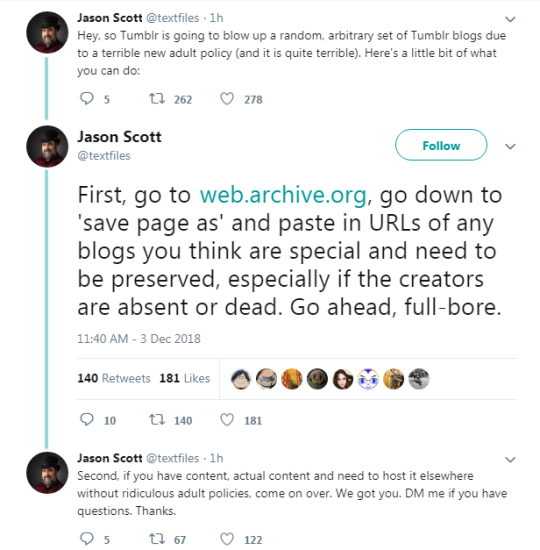
There’s also this:
Remember, web.archive.org, not the archive.org home page. The Save Page Now option is at bottom right.
I know it’s tempting to leave and migrate to Twitter or Deviantart or whatever place to put your content due to the new policies, but DON’T. Let me explain why:
when your space is invaded, do you leave and let them take it? or do you stay because it’s YOUR space.
Leaving Tumblr won’t solve anything. As nonchalant as the staff is, if we leave, the new policy will stay in tact and NOTHING will be fixed.
We have to stay right here and tell the staff to go fuck themselves (Not literally, don’t harass the staff with threats or something) and do whatever we can to let them know their rules ain’t shit. Fix it.
it could take awhile. Weeks, a month, but we HAVE to kill this new policy.
Make petitions, videos, posts, but DO NOT LEAVE TUMBLR until they learn how to fix their shit.
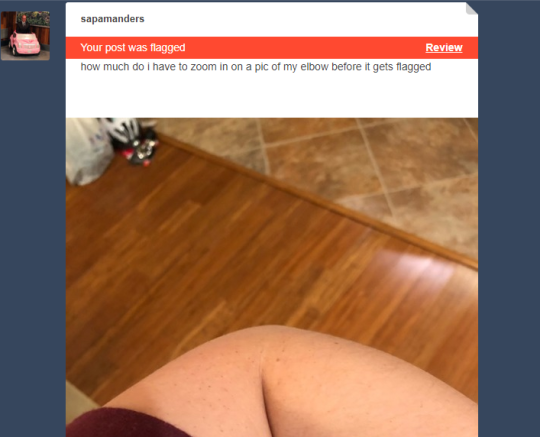
@staff could you actually fix your shit instead of flagging and deleting every depiction of humans regardless of context. I have a blog where pictures of people who are hugging, driving, or just modeling clothes have been flagged and I assume are set to be taken down. I never comment on anything but this is lazy bullshit.
u can tell who the ancients of tumblr are bc they’re the ones not posting anything abt where to find them if this site collapses…we know this site isnt going anywhere….the apocalypse couldnt stop this garbage…..it has the cybernetic code of a cockroach






















 QueerGalaxies